Before you start
- Download the addon file (a
.zip) from your account page. Do not unzip it — NinjaTrader needs the.zipfile itself. - Make sure NinjaTrader is closed before you begin, or at least ready to be restarted afterward.
Installing
- Open NinjaTrader.
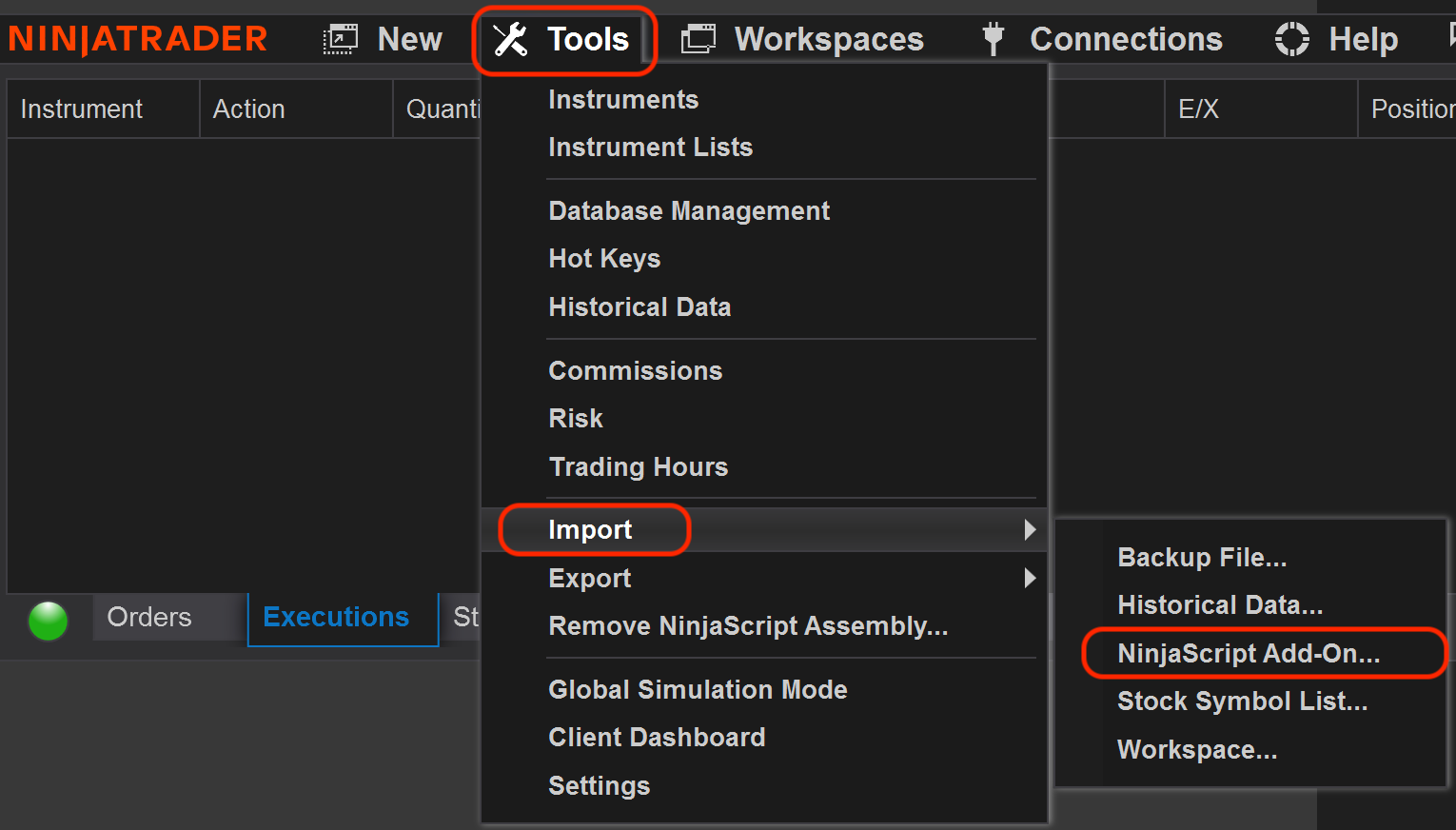
- Go to Control Center → Tools → Import → NinjaScript Add-On.
- Select the downloaded
.zipfile directly (again — not an unzipped folder or file). - NinjaTrader will compile it. This can take a moment.
- Restart NinjaTrader if prompted.
Opening the addon's control panel
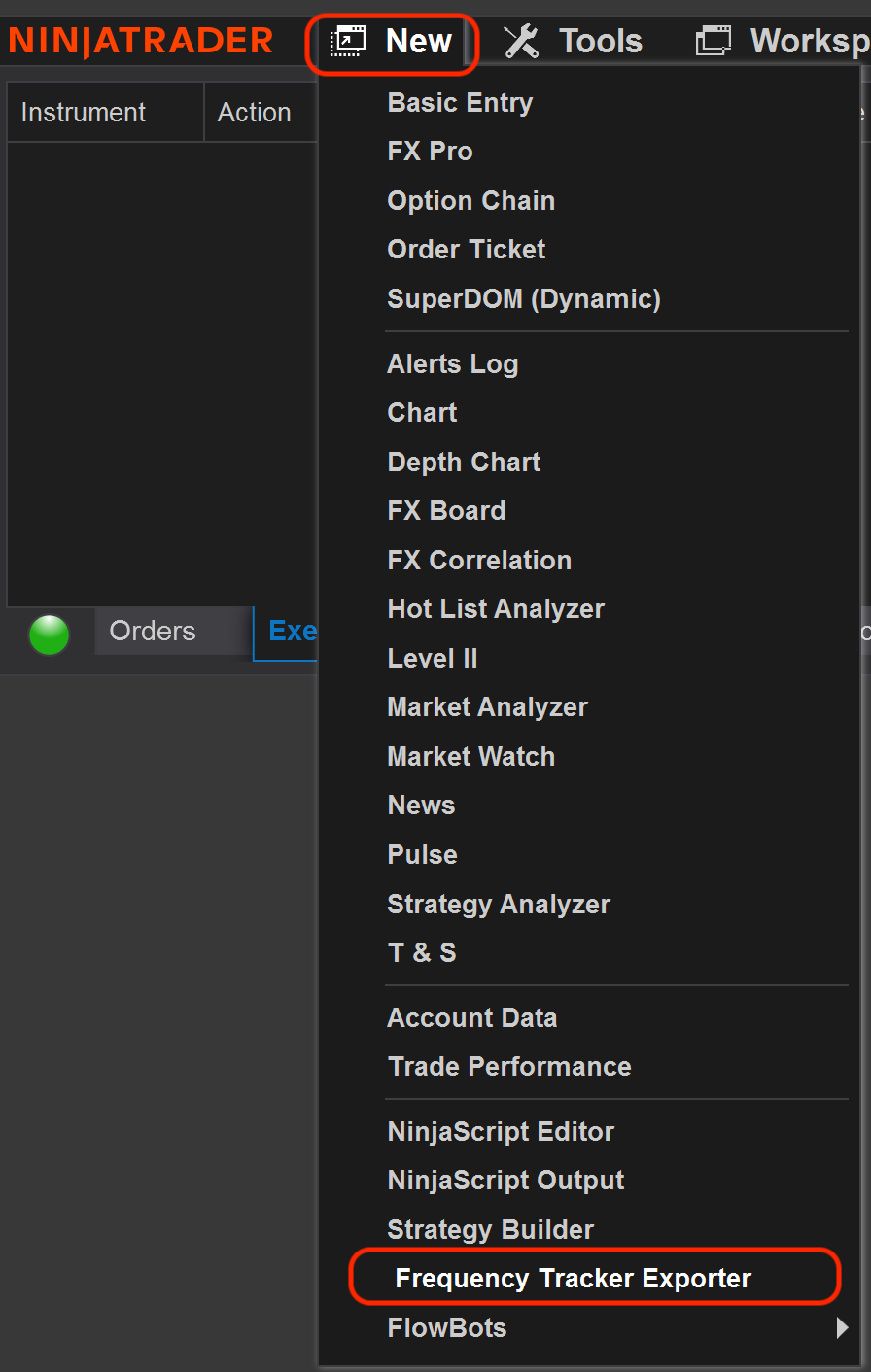
Once installed, go to Control Center → New → Frequency Tracker Exporter. This opens a small window where you can:
- See whether exporting is currently active
- Enter your license code (see Getting your license code & machine binding)
- Turn export on/off for specific accounts
- See how many trades have exported this session
- Open the folder where exported files are saved
A note on export files
The addon writes trades to a folder on your computer automatically. Frequency Tracker watches that same folder and imports new files on its own — you shouldn't need to touch these files directly. Older files get automatically archived after about a week to keep things tidy; this doesn't affect your already-imported trade history.
Troubleshooting installation
"You have custom NinjaScript files on your PC that have programming errors" — this error means something already on your computer (a different indicator, addon, or NinjaTrader's own files) has a conflict — it's not caused by the Frequency Tracker file itself, since NinjaTrader tries to recompile everything it has installed whenever you import anything new. If you see this:
- Try closing and reopening NinjaTrader, then attempt the import again.
- Double-check you're importing the
.zipfile itself, not an unzipped version of it. - Check NinjaTrader's own log (Control Center → Log tab) for which specific file is failing to compile — that's usually the fastest way to pin down the conflict.
- If it persists, this points to an existing conflict on your machine unrelated to our addon — NinjaTrader Support can help track down which file is causing it. Feel free to reach out to us too and we're happy to help however we can.
Where to go next